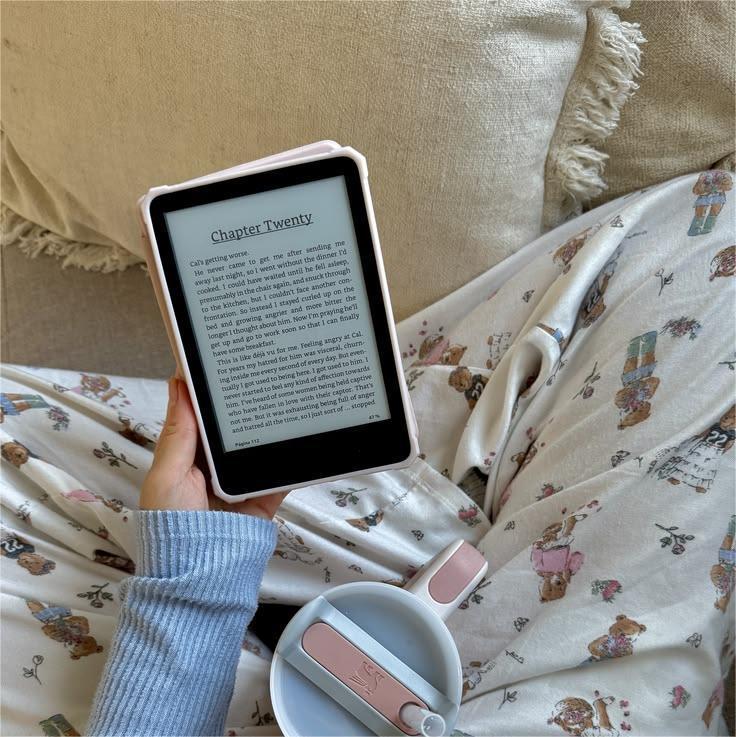
If you read on your Kindle a lot like I do, you’ve probably had that moment where your hand starts getting tired halfway through a really good chapter—but you don’t want to stop reading. One-hand Kindle reading sounds simple, but doing it comfortably for long sessions actually takes the right setup and a few small adjustments.
The good news is that once you figure out how to hold Kindle one hand comfortably, reading becomes easier, more relaxed, and something you can do almost anywhere—on the couch, in bed, outside, or even while waiting in the car.
Here’s everything that helps make Kindle one hand reading feel natural and sustainable.
Why One-Hand Kindle Reading Matters More Than You Think
Most people don’t realize how often they read with one hand until they start paying attention.
Think about situations like:
- lying on your side in bed
- holding a coffee in the other hand
- sitting cross-legged on the couch
- standing while commuting
- walking between classes
- relaxing outdoors
One-hand reading makes Kindle feel lightweight and flexible in everyday life. The easier it is to hold your device comfortably, the more often you’ll actually read.
Comfort directly affects consistency.
Choose the Right Grip Position First
Before buying accessories or changing your setup, try adjusting how you naturally hold your Kindle.
The most comfortable one-hand positions usually include:
Bottom-Corner Support Grip
Hold the Kindle from the lower corner using your palm and fingers to balance the weight. Your thumb stays free to turn pages.
This works especially well for short reading sessions.
Side-Edge Support Grip
Rest your fingers along the back while your thumb sits near the page-turn area.
This position helps reduce wrist tension during longer reading time.
Palm-Centered Support Grip
Let the Kindle sit across your palm while your fingers stabilize the back.
This spreads the weight more evenly and prevents finger fatigue.
Small grip adjustments like these can make a surprising difference.
Adjust Page-Turn Settings for One-Hand Reading
Kindle allows page turns with simple taps on either side of the screen.
If you're reading one-handed, try positioning your thumb where it naturally rests instead of stretching to reach the center of the display.
Many readers find that tapping near the outer edge of the screen feels the most natural during one-hand Kindle reading sessions.
Once your thumb movement becomes automatic, reading feels smoother and faster.
Use a Lightweight Case That Supports Flexible Holding Angles
One thing that made the biggest difference for me personally was switching to a magnetic case instead of a traditional fixed-grip setup.
A fully magnetic Kindle case like the GaNinno magnetic case allows accessories to attach anywhere across the back instead of locking your hand into one position.
That flexibility helps when:
- switching reading hands
- adjusting posture in bed
- reading outdoors
- reading while standing
- sharing the device between hands during long sessions
Instead of adapting your hand to your Kindle, your Kindle adapts to your hand.
That’s a big upgrade for comfort.
Add a Magnetic Stand for Extra Stability
A lot of readers think stands are only useful for desks, but they actually help with one-hand Kindle reading more than expected.
Using a magnetic reading stand together with a fully magnetic case lets you:
- stabilize the device while holding the lower edge
- reduce grip pressure
- change angles instantly
- rest your fingers instead of gripping tightly
Sometimes I hold the Kindle loosely with one hand while the magnetic stand supports most of the weight. It makes longer reading sessions feel noticeably easier.
This setup works especially well when reading on the couch or in bed.
Switch Hands Regularly During Long Reading Sessions
Even experienced Kindle readers don’t hold their device in one hand the entire time.
Switching hands every few chapters helps:
- reduce wrist strain
- prevent finger fatigue
- improve posture balance
- extend reading time comfortably
Kindle’s lightweight design makes this easy, especially when paired with flexible accessories.
Think of it like stretching while reading.
Your hands appreciate it more than you realize.
Adjust Your Reading Position Instead of Just Your Grip
Sometimes the issue isn’t how you hold your Kindle.
It’s where you hold it.
Try these small posture changes:
Raise the Kindle slightly higher so your wrist stays neutral.
Rest your elbow on a pillow or armrest.
Tilt the screen instead of bending your wrist.
Lean your shoulder against a cushion while reading sideways.
These adjustments reduce tension without requiring extra effort.
One-Hand Reading Works Best in Relaxed Environments
Your reading environment plays a bigger role than expected.
Comfortable one-hand Kindle reading becomes easier when:
lighting is soft but clear
your arm has support
your shoulders stay relaxed
your wrist isn’t bent upward
your screen angle matches your eye level
When your posture supports your device, your hand doesn’t have to do all the work.
Outdoor One-Hand Reading Is Easier Than You Think
One of my favorite things about Kindle is reading outside.
Benches, patios, parks, and quiet campus corners all become reading spots when your setup supports one-hand use.
A magnetic case makes this easier because it allows flexible grip placement depending on whether you’re sitting upright, leaning back, or holding a drink in your other hand.
Pairing the case with a magnetic stand adds extra stability when resting your Kindle on your knee or lap while reading outdoors.
This kind of flexibility turns casual moments into reading time.
The Right Accessories Reduce Long-Term Hand Fatigue
Hand fatigue usually doesn’t happen because Kindle is heavy.
It happens because your grip stays in one position too long.
Accessories that allow movement and adjustment help prevent this.
A GaNinno fully magnetic Kindle case combined with a magnetic stand creates a setup where you can:
change grip positions easily
support the device partially instead of fully
rest your fingers when needed
adjust angles instantly
hold your Kindle more naturally
These small improvements add up quickly during daily reading.
One-Hand Kindle Reading Becomes Natural with Practice
At first, many readers assume Kindle requires two hands for comfort.
But once you experiment with grip positions, posture adjustments, and supportive accessories, Kindle one hand reading starts to feel effortless.
The key isn’t holding your device tighter.
It’s holding it smarter.
With the right setup, reading with one hand becomes something you barely notice anymore—and that’s exactly what makes it easier to read longer, more often, and more comfortably every day.