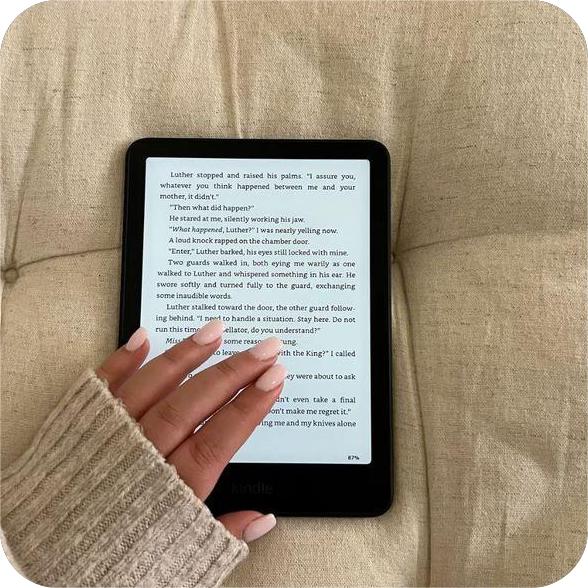
If you love your Kindle but sometimes notice your wrist getting tired halfway through a chapter, you’re not alone. I didn’t realize how common Kindle wrist pain was until I started reading longer sessions every night and suddenly felt that familiar ache in my thumb side wrist.
The good news is that wrist discomfort while reading usually isn’t caused by the Kindle itself. It’s almost always caused by how we hold it, how long we hold it, and whether our setup supports our hands properly.
Once I adjusted a few small things in my reading routine, my reading time got longer and way more comfortable. Here’s everything that actually helps reduce wrist strain and create better reading wrist support for daily Kindle use.
Why Kindle Wrist Pain Happens in the First Place
Kindles are lightweight compared to physical books, but wrist fatigue still happens because of repetition and posture.
Common causes include:
- gripping too tightly for long periods
- holding the Kindle at awkward angles
- bending the wrist upward while lying down
- supporting the entire device with one thumb
- staying in the same position too long
Even small tension adds up during a 30–60 minute reading session.
The goal isn’t to stop reading longer. It’s to support your wrist better while you do.
Adjust How You Hold Your Kindle First
Before changing accessories, start with grip habits.
Most wrist strain happens because readers hold their Kindle the same way the entire time.
Try rotating between these three positions:
Corner grip
Support the bottom corner with your palm while your thumb turns pages.
Side-edge grip
Rest your fingers behind the device while your thumb stays relaxed along the screen edge.
Palm-rest grip
Let the Kindle sit across your palm instead of pinching it between fingers.
Switching between these positions every few chapters dramatically reduces tension.
Raise Your Kindle Closer to Eye Level
One of the biggest hidden causes of Kindle wrist pain is reading too low.
When the screen sits near your lap:
- your wrist bends upward
- your shoulders lean forward
- your grip tightens automatically
Instead, try lifting your Kindle closer to chest level or slightly below eye level.
This keeps your wrist in a neutral position and immediately reduces strain.
Support Your Elbow While Reading

This tip sounds small but makes a huge difference.
Resting your elbow on:
- a pillow
- couch armrest
- blanket
- desk surface
removes most of the pressure from your wrist.
Your hand stops carrying the full weight of the device, which allows longer reading sessions without fatigue.
Change Reading Positions More Often Than You Think
Even the most comfortable grip becomes uncomfortable if you stay in it too long.
Try rotating between:
- sitting upright
- reclining slightly
- lying on your side
- resting Kindle on your lap
- reading with elbow support
Your wrist benefits from movement just like any other joint.
Readers who change positions naturally experience less long-term strain.
Use a Fully Magnetic Case for Flexible Grip Support
One of the biggest improvements I personally noticed came from switching away from traditional fixed-position grips.
A fully magnetic Kindle case like the GaNinno magnetic case allows accessories to attach anywhere across the back instead of locking your hand into one holding position.
That flexibility helps reduce wrist strain because you can:
- shift grip placement easily
- change reading angles quickly
- support the device differently depending on posture
- switch hands more naturally
Instead of adjusting your wrist to match your Kindle, your Kindle adapts to how you’re sitting.
That makes a real difference during longer sessions.
Add a Magnetic Stand to Reduce Wrist Pressure Completely
If your wrist gets tired quickly, the easiest solution is sometimes the simplest one.
Stop holding the device the entire time.
Pairing a magnetic reading stand with a fully magnetic case creates instant reading wrist support because the stand carries most of the weight for you.
This works especially well when:
- reading in bed
- sitting on the couch
- studying at a desk
- reading during long evening sessions
Sometimes I hold my Kindle lightly with one hand while the stand stabilizes the angle. Other times I don’t hold it at all.
Both options reduce strain significantly.
Switch Hands During Longer Reading Sessions
Many readers forget this trick completely.
Even if one hand feels more natural, switching sides occasionally prevents repetitive stress.
Try switching hands:
- after each chapter
- every 15 minutes
- when changing posture
- when adjusting lighting
Small rotations prevent fatigue before it starts.
Your reading time gets longer without discomfort.
Improve Your Reading Setup at Home
Your environment affects wrist comfort more than expected.
A strong setup includes:
- elbow support
- adjustable screen angle
- relaxed shoulder position
- stable Kindle placement
- proper lighting
Using a magnetic stand with a flexible case like the GaNinno setup makes it easy to adjust screen positioning depending on where you’re sitting.
That adaptability keeps your wrist from carrying unnecessary tension.
Use Soft Support When Reading in Bed
Bed reading is one of the biggest causes of wrist strain because readers often hold their Kindle above their chest.
Instead, try:
- supporting arms with pillows
- resting Kindle partially on a blanket
- tilting screen with a stand
- lying slightly sideways instead of flat
These small changes create natural reading wrist support without interrupting your reading flow.
Pay Attention to Thumb Fatigue Too
Sometimes wrist pain actually starts in the thumb.
If your thumb stretches repeatedly across the screen for page turns, tension spreads toward your wrist over time.
Try:
- adjusting your grip position
- tapping closer to screen edges
- switching hands regularly
- slightly repositioning your device angle
These small changes reduce repetitive thumb movement.
Take Advantage of Hands-Free Reading When Possible
Hands-free reading isn’t just convenient.
It’s one of the best long-term solutions for preventing wrist discomfort.
Using a magnetic stand together with a GaNinno fully magnetic Kindle case allows you to create a flexible setup where your device stays stable without constant grip pressure.
That means:
- fewer wrist adjustments
- less tension during long chapters
- more relaxed reading posture
- longer comfortable reading sessions
Many readers don’t realize how helpful this becomes until they try it once.
Build a Reading Routine That Supports Your Body
Reducing Kindle wrist pain isn’t about changing how often you read.
It’s about changing how your device fits into your posture.
Simple adjustments like:
raising your Kindle slightly
supporting your elbow
switching hands
using flexible accessories
and creating a relaxed reading environment
can completely change how your wrist feels after a long session.
Once your setup supports your hands properly, reading becomes easier to enjoy for longer stretches—and your Kindle starts feeling as comfortable as it was meant to be.