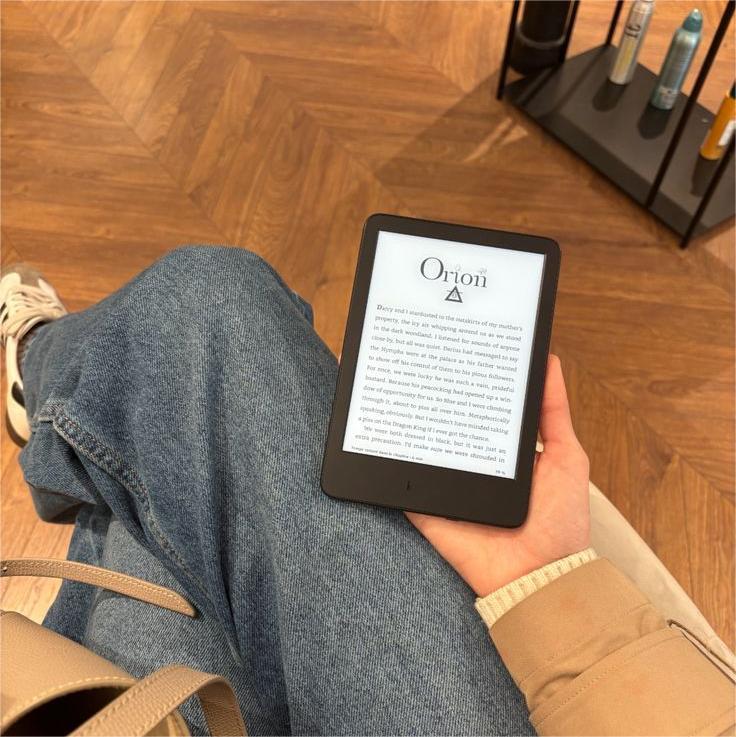
If you’ve ever finished a long reading session and realized your wrist feels sore or your fingers went a little numb… you’re definitely not alone. I used to think Kindle hand fatigue was just part of reading for hours, but once I started adjusting how I held my Kindle (and added a few smart accessories), everything changed.
The truth is: your reading position matters way more than people think. Whether you're reading in bed, on the couch, outdoors, or during study breaks, small posture changes can make a huge difference.
So here’s my real-life guide to how to hold Kindle comfortably in 2026 — especially if you read daily like I do.
Why Kindle Hand Fatigue Happens in the First Place
Even though Kindles are lightweight, holding any device in the same position for long periods can strain your:
- wrists
- fingers
- thumbs
- shoulders
- neck
And sometimes the problem isn’t the Kindle itself — it’s how you're holding it.
Common causes include:
gripping too tightly
holding with one hand only
reading while lying flat on your back
holding the device above eye level
reading without support accessories
The good news? These are all easy to fix.
Position #1: The One-Handed Side Grip (Best for Quick Sessions)
This is probably the most common way people hold their Kindle.
You hold the device with one hand along the side edge and tap pages with your thumb.
It works well for:
short reading sessions
coffee shop reading
waiting in line
commuting
But over time, your thumb does most of the work, which can lead to fatigue.
A simple improvement is adding a magnetic grip attachment on the back of your Kindle. When paired with a fully magnetic case like the GaNinno Kindle case, you can adjust where the grip sits instead of locking your hand into one awkward position.
That flexibility helps reduce pressure on your thumb joints.
Position #2: The Two-Handed Balanced Hold (Best for Long Reading Sessions)
This is my go-to position when I know I’m reading for a while.
Instead of holding the Kindle from one side, hold it with both hands from the bottom corners.
Benefits:
less wrist tension
even weight distribution
better posture
longer reading comfort
This position is especially helpful when reading novels for hours at a time.
If your Kindle has a magnetic stand attached to the back (like when using a GaNinno magnetic setup), you can also rest the stand lightly against your lap while still holding the device, which removes even more strain.
Position #3: Hands-Free Reading with a Magnetic Stand (My Favorite Upgrade)
This honestly changed my entire reading routine.
Using a magnetic Kindle stand allows you to read without gripping the device constantly.
It’s perfect for:
bedtime reading
desk reading
reading while eating
journaling alongside reading
stretching during reading breaks
When I started using a stand together with a GaNinno fully magnetic Kindle case, I realized how much tension I had been holding in my wrists without noticing.
Because the back surface is fully magnetic, the stand can attach wherever balance feels best instead of forcing a fixed center position. That makes switching reading angles super natural depending on where I’m sitting.
Position #4: The Lap Support Position (Best Couch Reading Setup)
If you love cozy couch reading like I do, this position works amazingly well.
Instead of holding the Kindle fully in the air:
rest your elbows on your legs
support your wrists on a blanket
let the Kindle lean slightly toward you
This reduces arm strain almost immediately.
Adding a small magnetic stand behind the device helps keep the viewing angle steady without needing constant grip pressure.
It’s one of the easiest ways to reduce Kindle hand fatigue without changing your setup too much.
Position #5: Side-Lying Reading Position (Best for Bed Readers)
This one is super popular but often done incorrectly.
If you lie on your side while reading:
avoid holding the Kindle above your face
support your elbow with a pillow
keep wrists neutral instead of bent
A repositionable magnetic stand attached to a fully magnetic case helps stabilize the device at a comfortable angle so your wrist stays relaxed.
This makes bedtime reading feel way less tiring.
Position #6: Outdoor Reading Grip Setup
I take my Kindle outside all the time — parks, patios, even parked-car reading breaks.
Outdoor reading introduces extra challenges like:
sunlight angle
arm positioning
longer holding time
limited surfaces for support
Using a magnetic grip attached to a GaNinno fully magnetic Kindle case helps stabilize the device without forcing one grip position.
Sometimes I place the grip lower.
Sometimes higher.
Sometimes slightly sideways.
That flexibility makes outdoor reading surprisingly comfortable.
Small Adjustments That Instantly Reduce Kindle Hand Fatigue
Even tiny changes help.
Try these:
switch hands every 10 minutes
increase font size slightly
bring Kindle closer instead of lifting arms higher
rest elbows whenever possible
adjust brightness for eye comfort
Comfort is a combination of posture and setup.
Why a Fully Magnetic Case Makes Holding Kindle Easier
Most people don’t realize traditional Kindle cases limit how you hold your device.
They usually:
force grip placement
limit stand positioning
restrict accessory placement
A fully magnetic case like GaNinno’s changes that experience completely.
Because the entire back surface supports magnetic attachment, you can:
move grips freely
reposition stands instantly
adjust angles easily
customize reading posture
That freedom helps prevent repetitive strain during longer reading sessions.
Build a Comfortable Reading Setup at Home
Your reading environment matters just as much as your hand position.
My cozy reading setup usually includes:
a blanket
warm lighting
a lap pillow
a magnetic stand
a repositionable grip
Once everything is supported properly, I can read way longer without noticing wrist tension at all.
And honestly, that’s when Kindle reading feels closest to real paper books again.
Signs Your Kindle Reading Position Needs Improvement
If you notice:
thumb soreness
wrist stiffness
finger numbness
shoulder tension
neck strain
your setup probably just needs a small adjustment.
Most readers don’t need a completely new routine — just better positioning support.
Final Thoughts: Comfortable Reading Starts with the Right Position
Learning how to hold Kindle comfortably doesn’t require complicated changes.
Usually it’s about:
switching positions
supporting your wrists
using a stand
adjusting grip placement
Adding flexible accessories like a GaNinno fully magnetic Kindle case and magnetic stand makes these adjustments easy because your reading setup can adapt to wherever you are instead of forcing your hands into one fixed posture.
And once your hands feel relaxed again, long reading sessions become something you look forward to — not something your wrists recover from afterward.